How can I visualize new siding on my house?
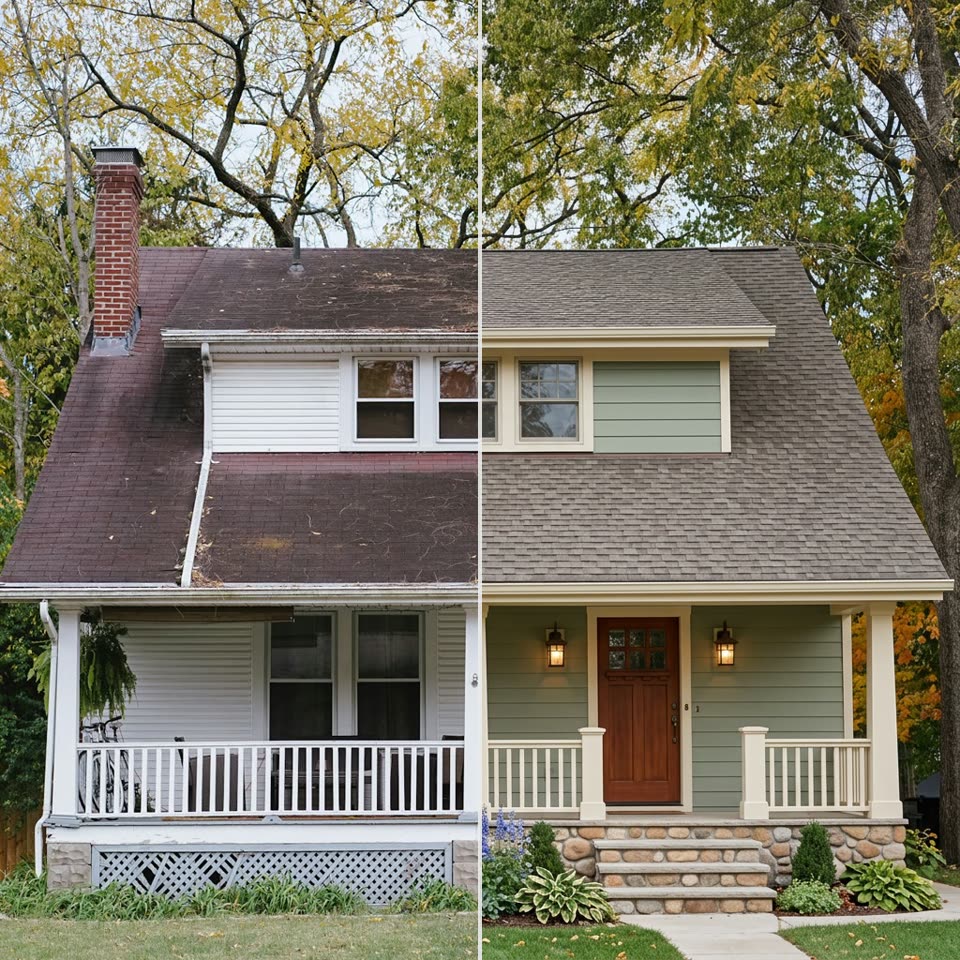
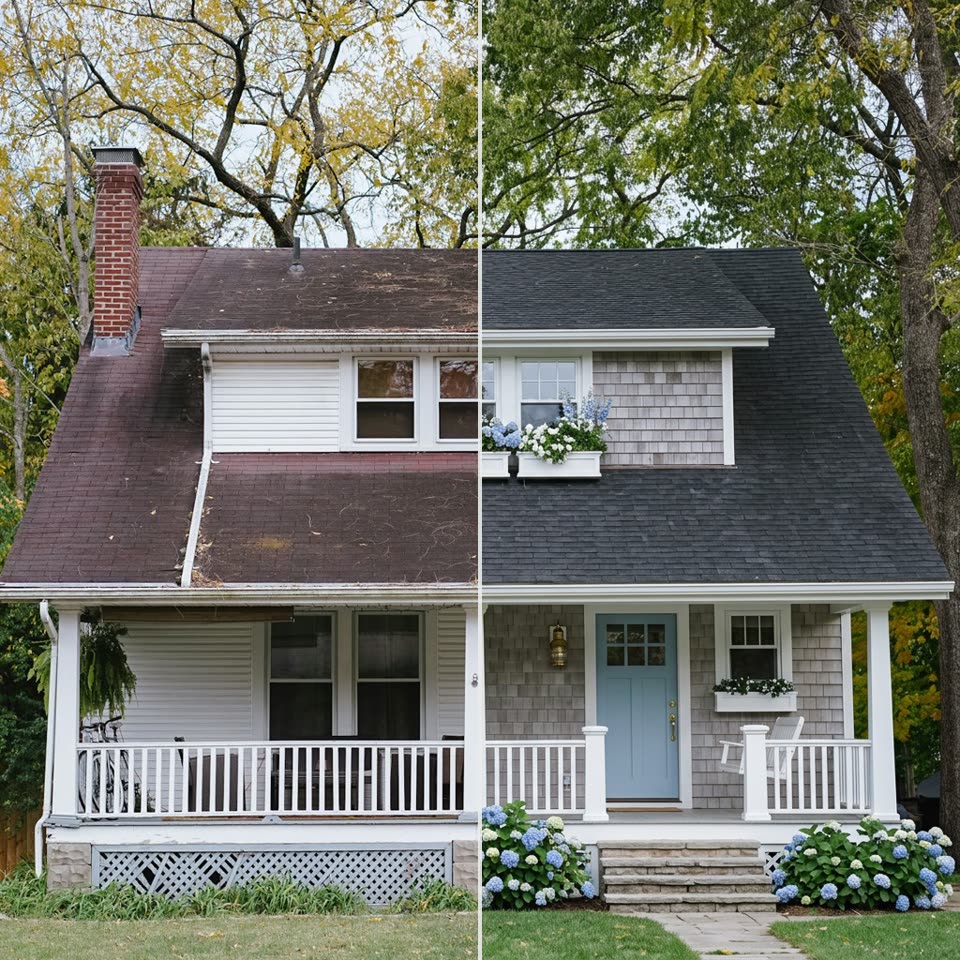
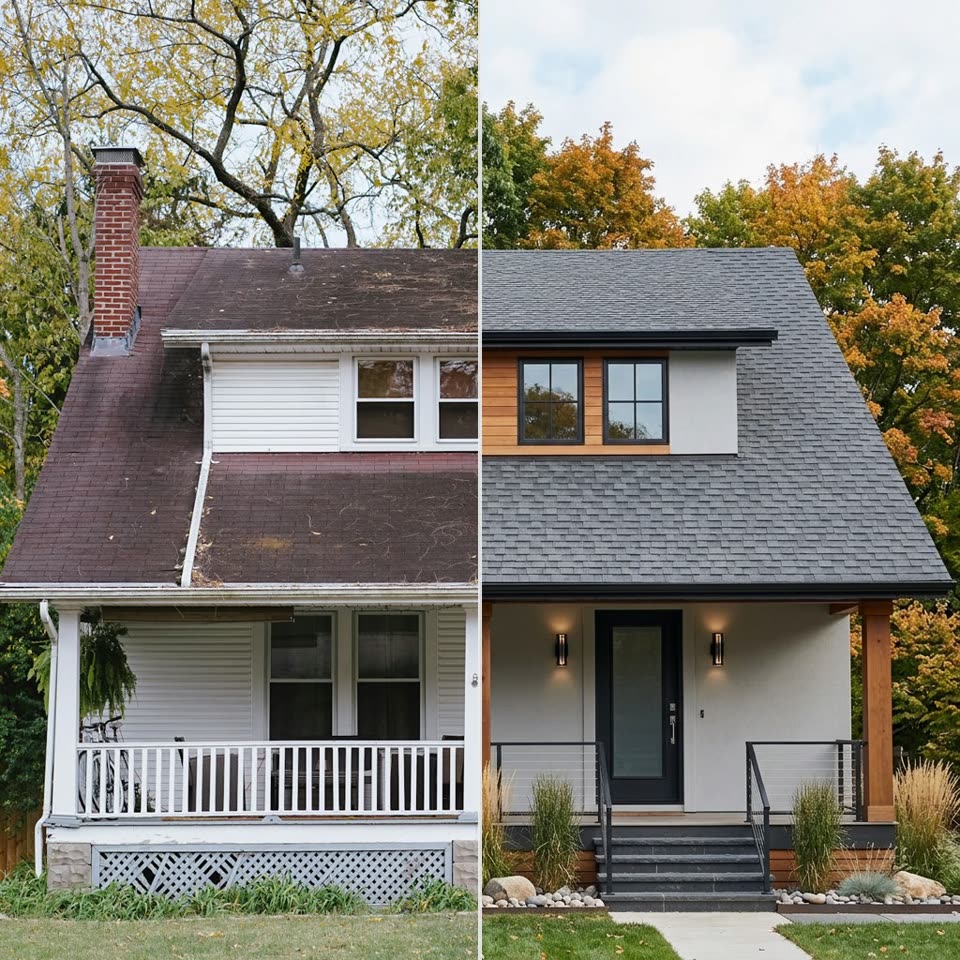
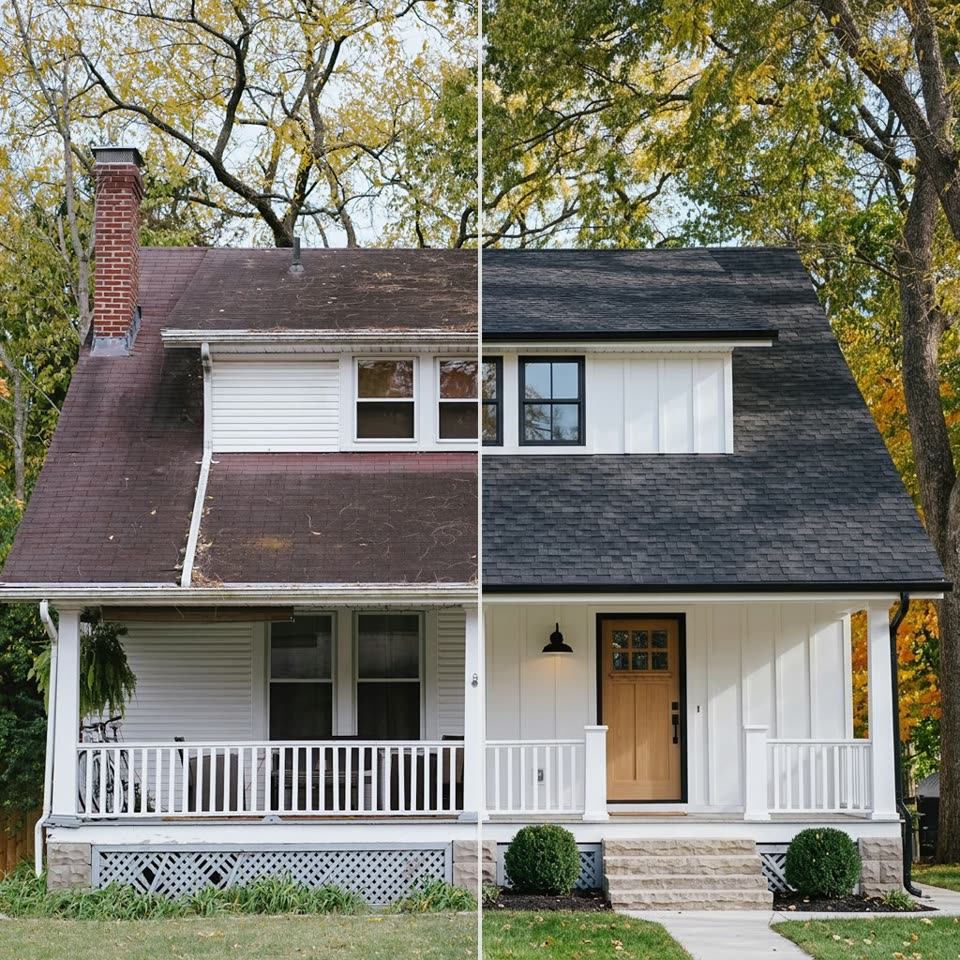
Photograph the front of your house straight on in daylight and open it in Afterhome on iPhone. Choose an exterior style: board-and-batten, lap siding, cedar shingles, cedar cladding with render, or stucco. The app replaces the siding, trim, door and lights but keeps the house's shape, roofline and windows, and shows before and after on a slider.
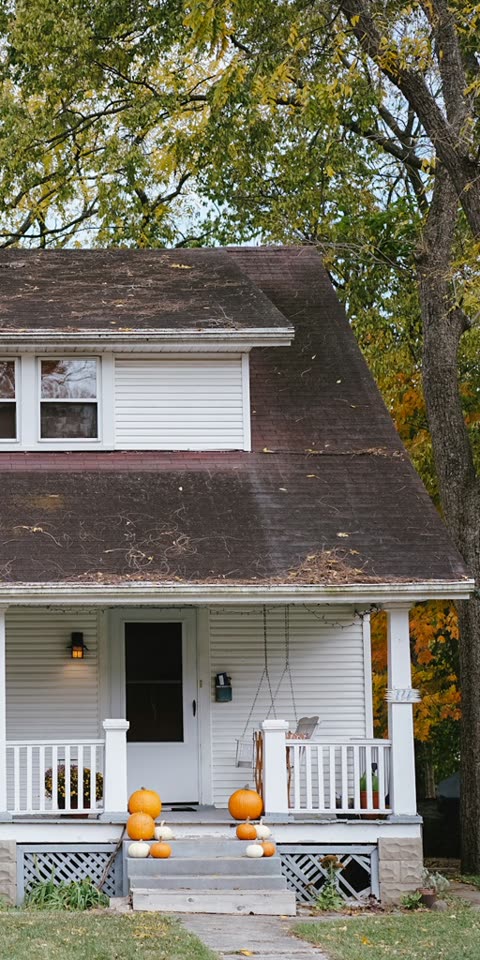
Step by step
- Take a level photo of the whole front of the house in daylight.
- In Afterhome, choose Exterior Redesign and pick the photo.
- Choose the style whose siding you want to see.
- Compare with the slider, then save or share the result.
Siding by style
| Siding | Style | With it |
|---|---|---|
| White board-and-batten | Modern Farmhouse | Black windows, a wood door |
| Sage green lap siding | Craftsman | Cream trim, stone at the base |
| Charcoal-black siding | Dark & Moody | Black trim, an oak door |
| Weathered grey cedar shingles | Coastal Cottage | White trim, a blue door |
| Light grey render with cedar cladding | Contemporary | Slim black windows |
| Warm white stucco | Mediterranean | Terracotta roof tiles |
How close is it to the real thing?
It is a picture to decide with, not a quote. It shows a material and a color on your house's own shape; it does not measure the walls, count boards or price anything. Ask a contractor for that once you know which look you want. Now and then the model moves a window or changes a detail it should have kept: run it again, or start from a sharper photo.