Can I get a backyard design from a photo?
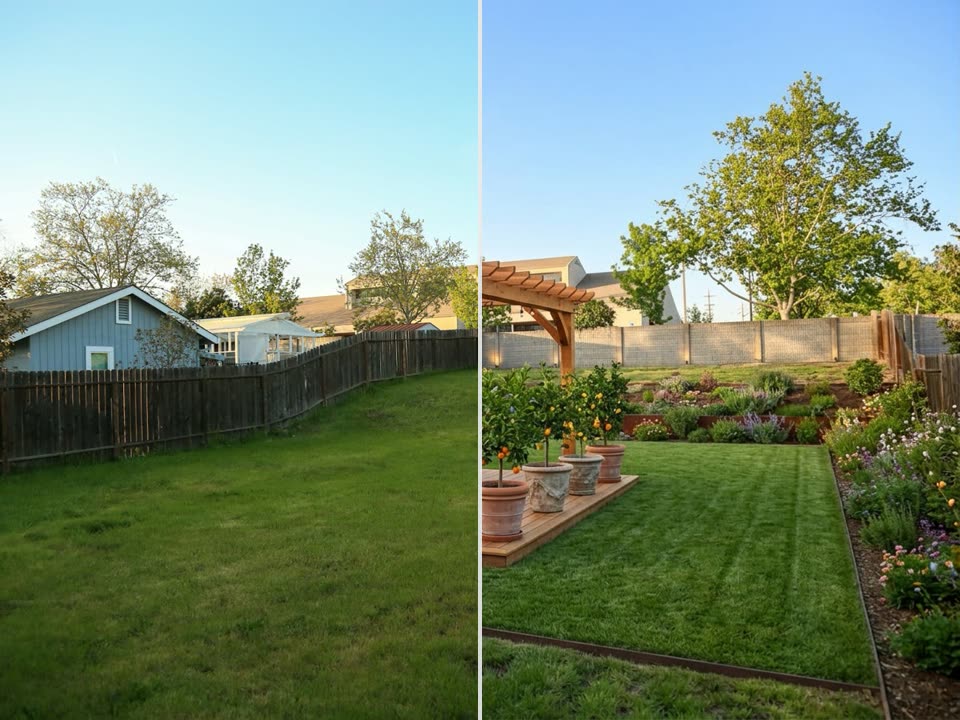
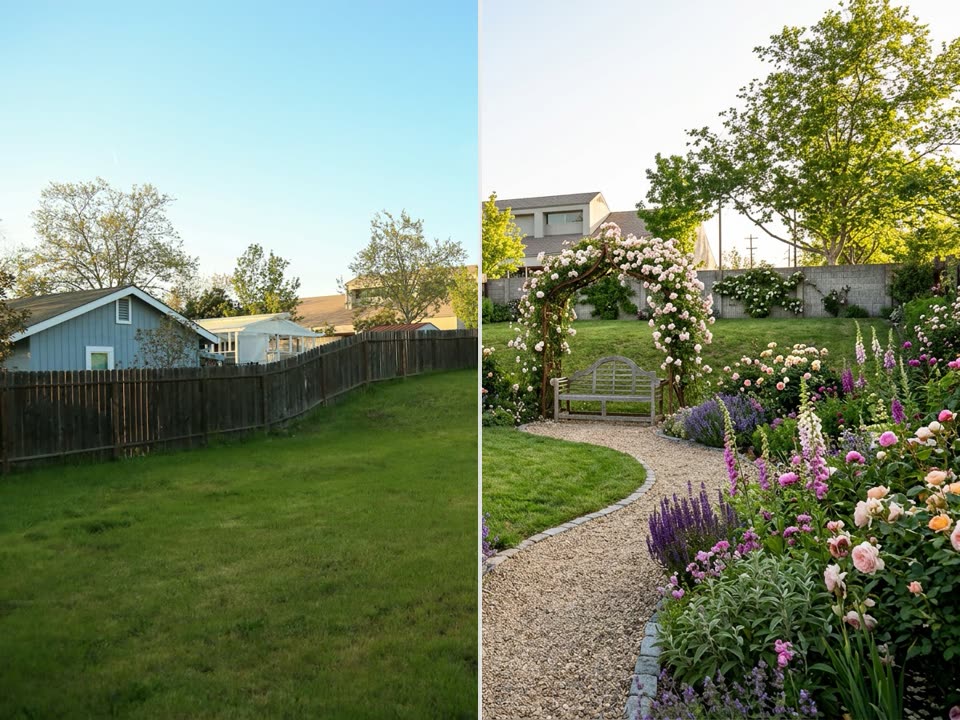
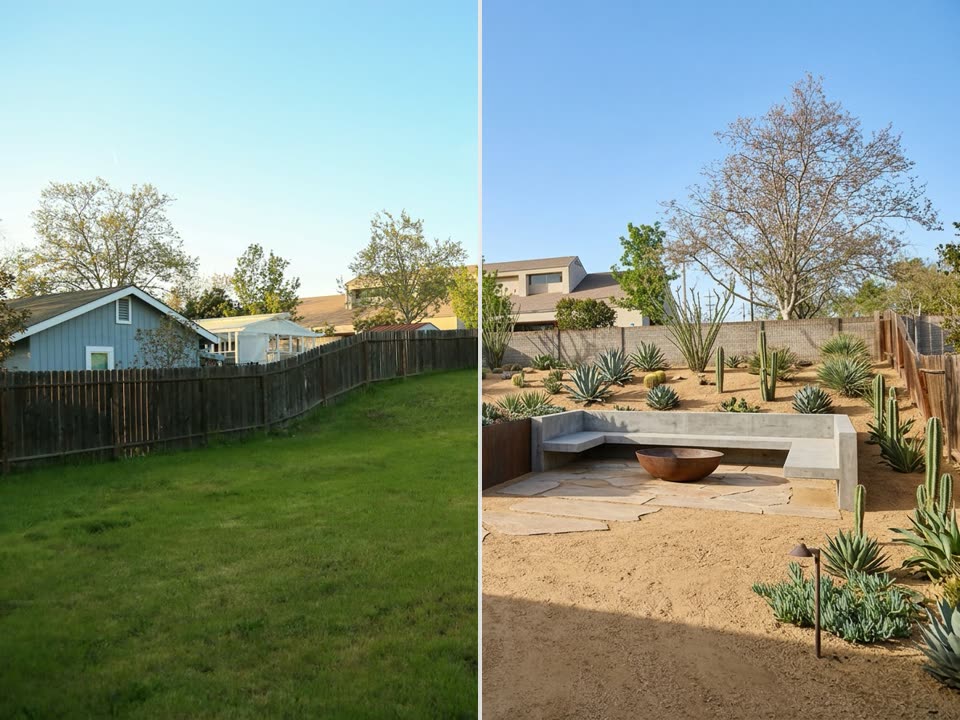
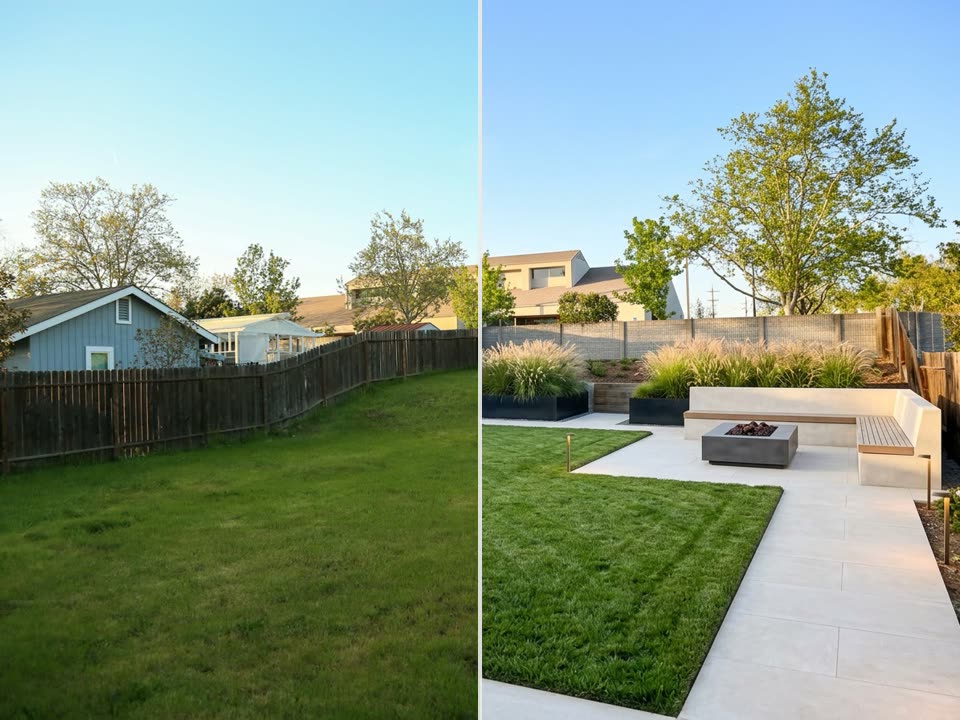
Yes. Take one photo of your backyard and open it in Afterhome on iPhone. Choose Modern Patio, Outdoor Dining, Cottage Garden or Desert Modern, and the app redesigns the paving, lawn, planting, lighting and outdoor furniture while keeping your fences, the house walls, the slope of the ground and large trees. Compare before and after with a slider.
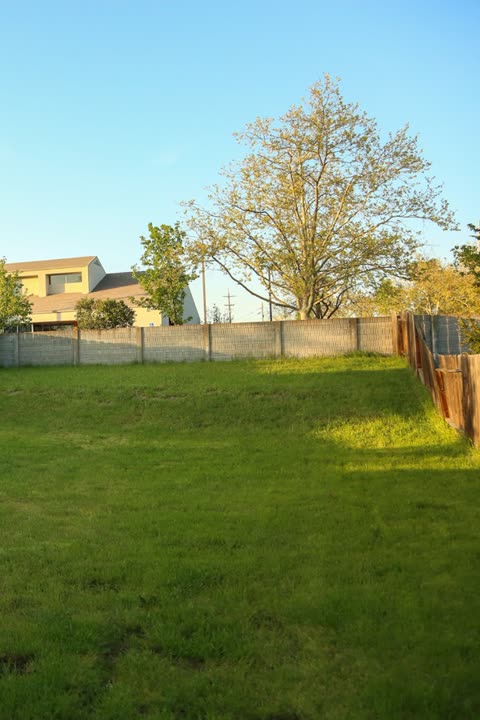
Step by step
- Photograph the yard in daylight from a corner or the back door.
- In Afterhome, choose Garden & Backyard and pick the photo.
- Pick one of the four garden styles.
- Compare before and after with the slider, and try another style on the same photo.
The four garden styles
- Modern Patio: pale pavers, a rectangle of lawn, a fire pit with a built-in bench.
- Outdoor Dining: a deck, a table for six under a cedar pergola, string lights.
- Cottage Garden: a gravel path through borders of roses, foxgloves and lavender.
- Desert Modern: gravel and stone, agaves and cacti, no lawn.
What you get, and what you do not
You get a picture of your own yard in a new design, to decide on a direction or to show a landscaper. You do not get a plan: no measurements, plant list, quantities or prices. The app also keeps what would be hard to change, so it will not add a pool or remove a large tree.