How can I see my house in a different color before painting?
Take one daylight photo of the front of your house and open it in Afterhome, an iPhone app. Pick an exterior style and the app gives the siding, trim and front door new colors and materials while keeping the house's shape, roofline, windows and doors. Drag the slider to compare before and after. The first redesign is free.
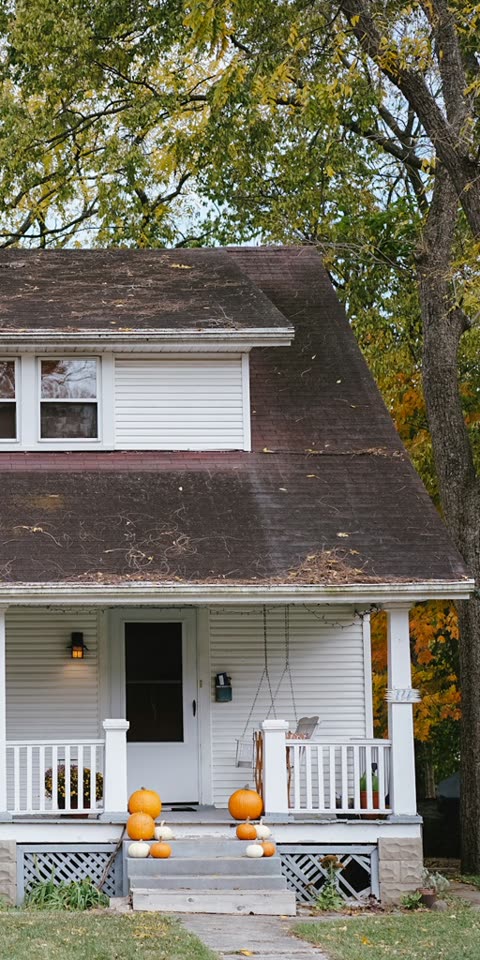
Step by step
- Stand back and take a level, daylight photo of the whole front of the house.
- Open Afterhome, choose Exterior Redesign and pick the photo.
- Pick a style. Each one is a complete color scheme for siding, trim, door and lights.
- Drag the slider across the result to compare it with your house as it is now.
Which color schemes there are
Afterhome's exterior styles are finished schemes rather than a color picker. Each changes the siding, trim, front door, lights and the planting at the front together:
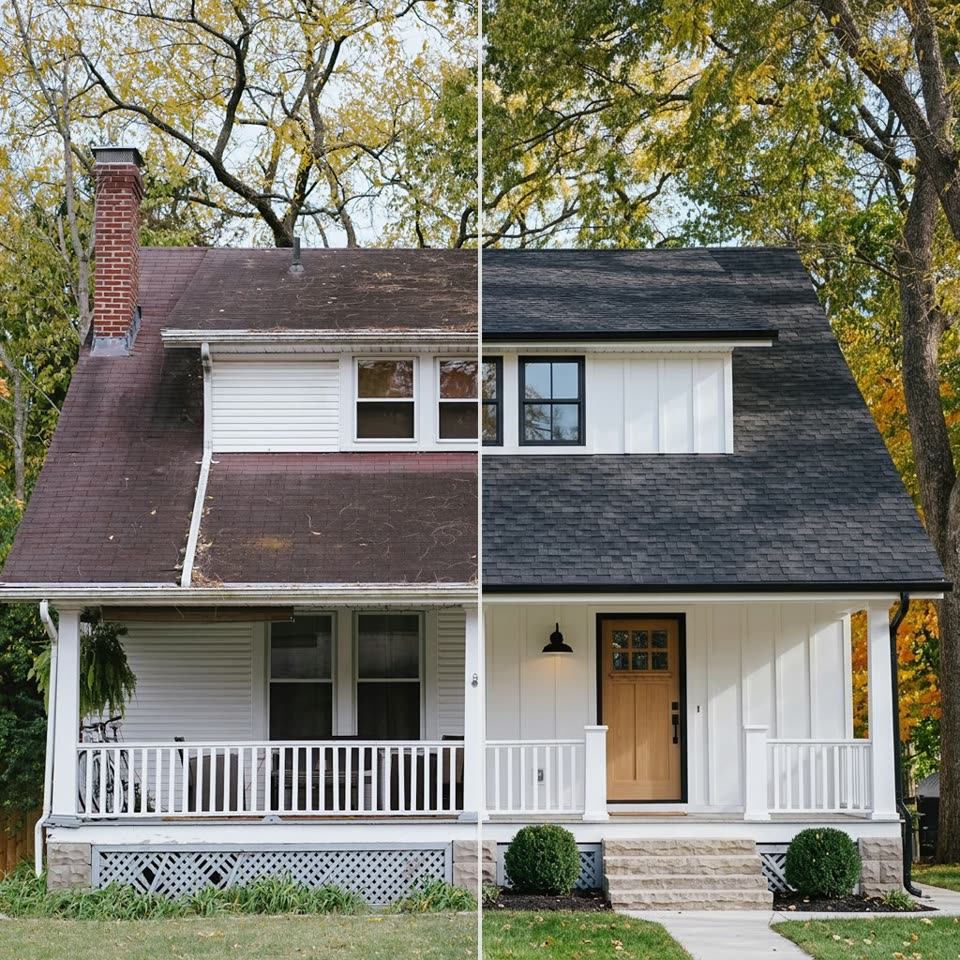
- Modern Farmhouse: white board-and-batten siding, black windows and gutters, a wood door.
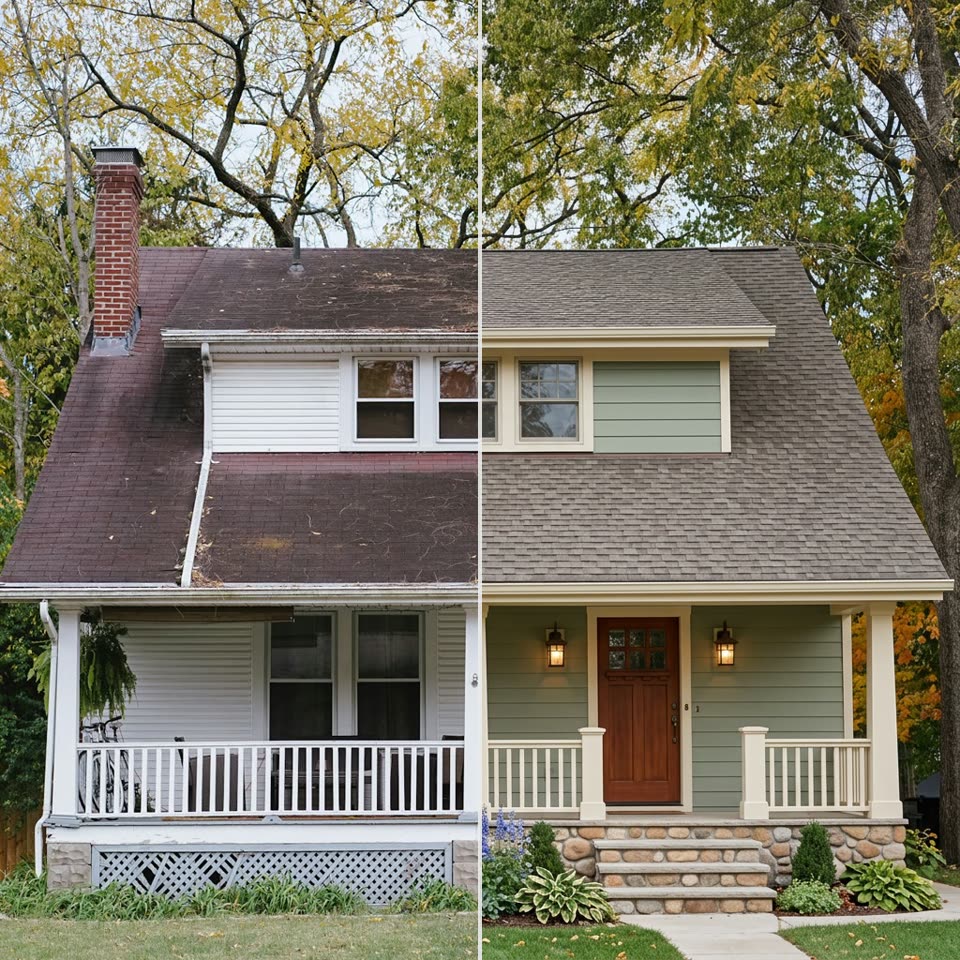
- Craftsman: sage green lap siding, cream trim, stone at the base.
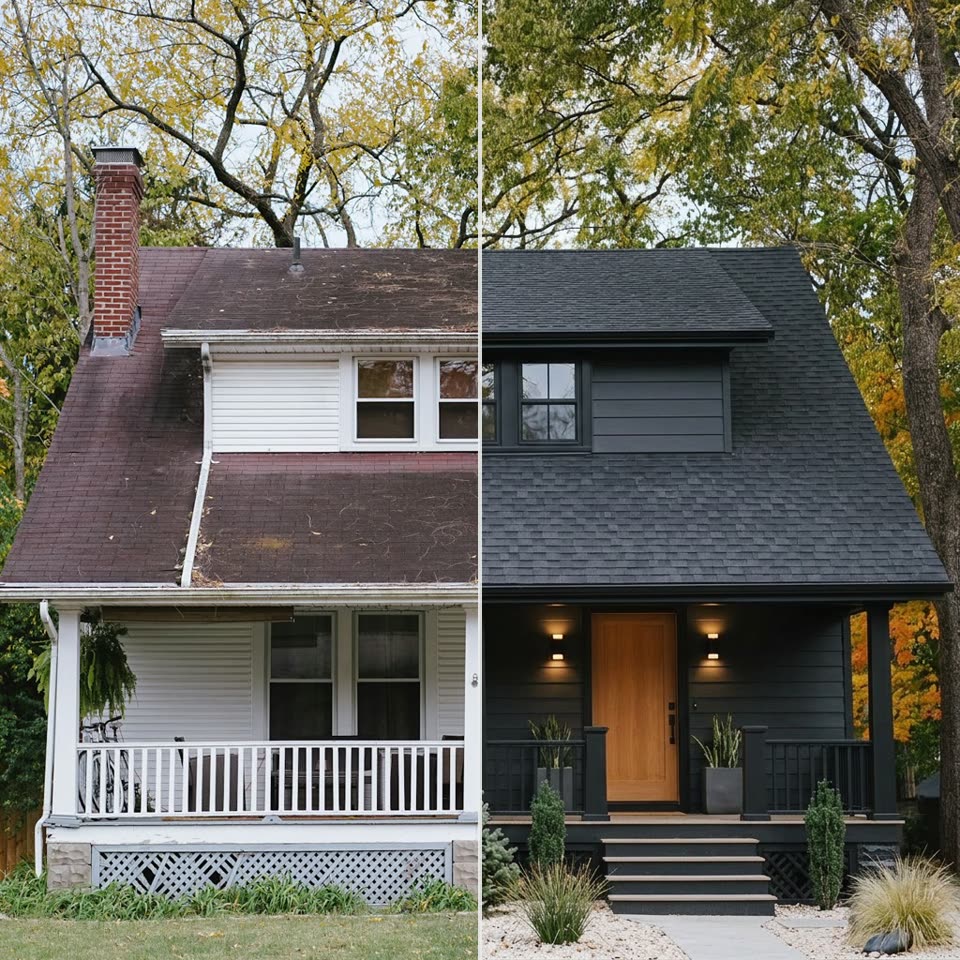
- Dark & Moody: charcoal-black siding and trim with a warm oak door.
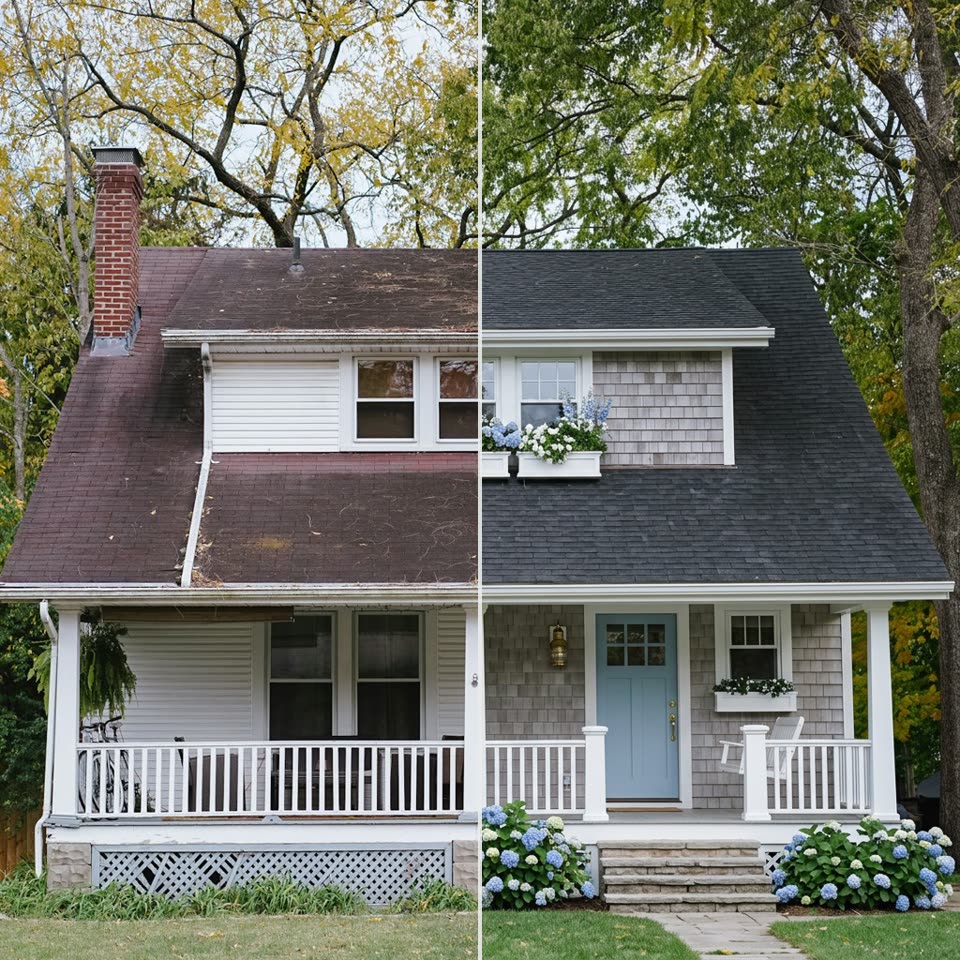
- Coastal Cottage: weathered grey shingles, bright white trim, a soft blue door.
- Mediterranean: warm white stucco and terracotta roof tiles.
- Contemporary: light grey render with warm cedar cladding.
What it does not do
You cannot type in an exact paint code for the outside of the house, and the result is a picture, not a paint plan: colors on a screen never match paint exactly, so test a sample on the wall before you buy. For the walls inside, Paint Walls has eight named colors, each with the closest standard RAL shade to ask for at a paint shop.
Getting a good result
A sharp, level photo of the whole front in daylight works best. Cars, bins or people in front of the house get in the way, and a house half hidden by trees gives the app less to work with. If a result moves a window or changes the roofline, run it again or try another photo.