How can I see kitchen cabinet colors before I paint them?
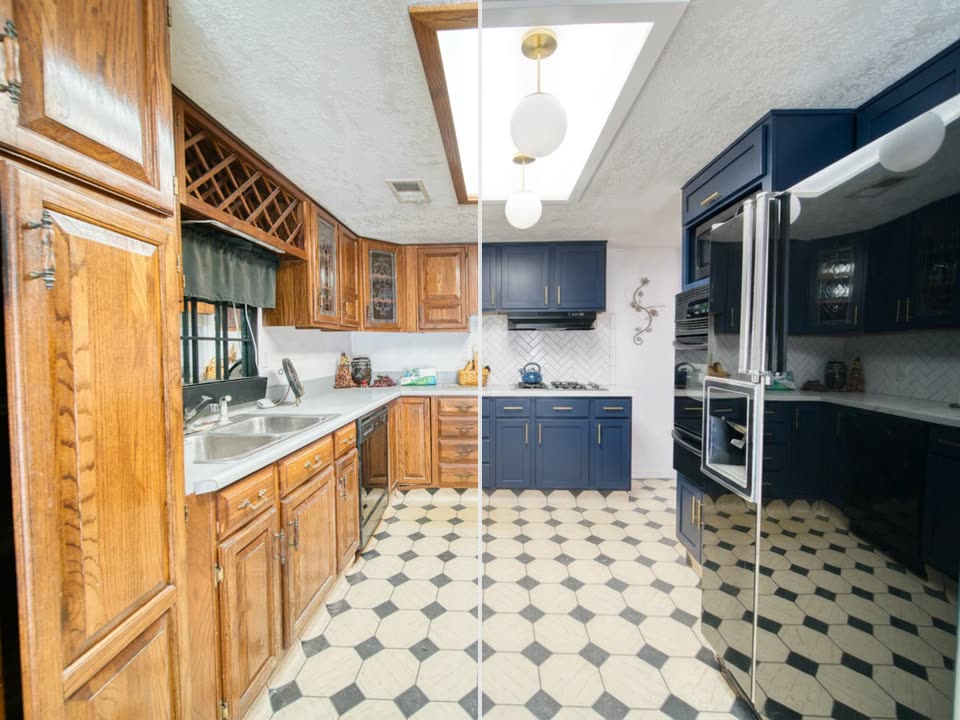
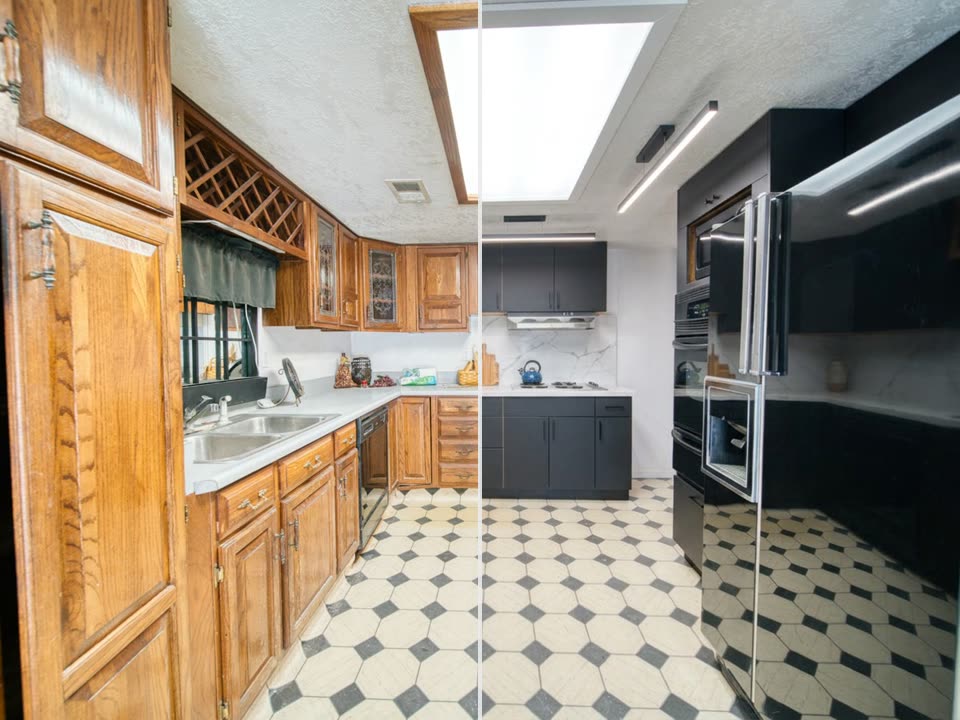
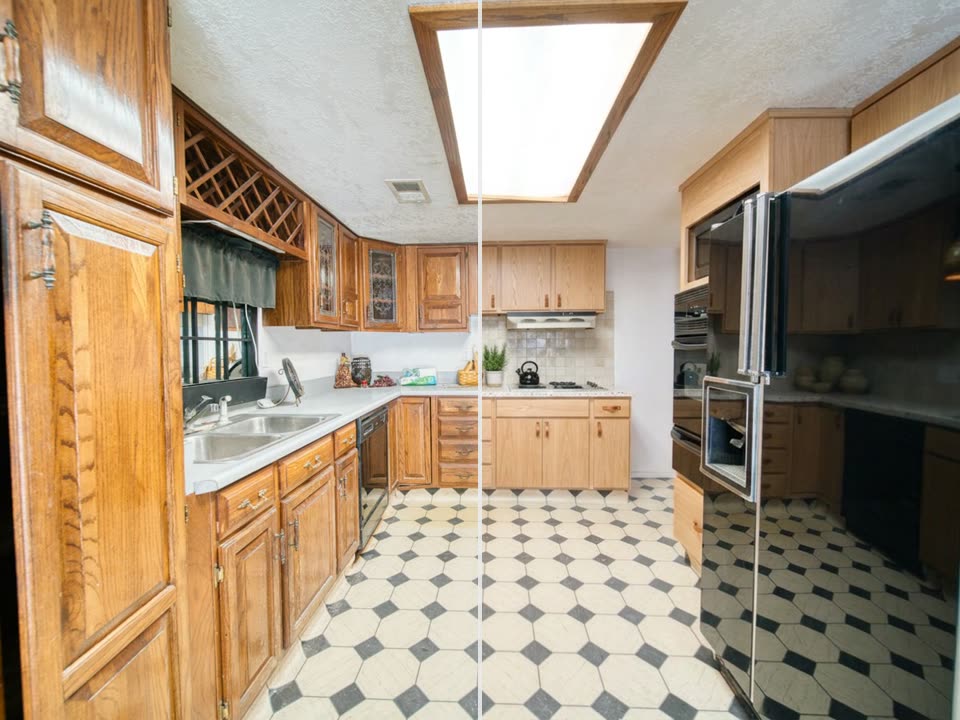
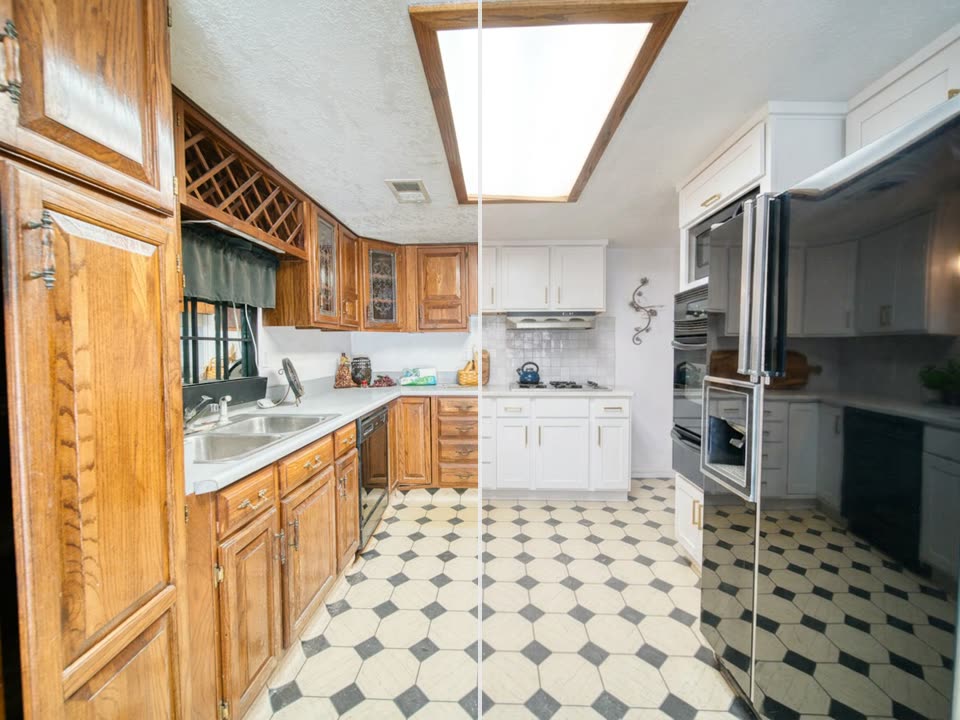
Take a photo of your kitchen from the doorway and open it in Afterhome on iPhone. Pick a kitchen style, such as White Shaker, Navy & Brass, Dark Modern or Warm Wood. The app changes the cabinet fronts, countertop, backsplash and hardware but keeps the layout of cabinets and appliances, so you see your own kitchen before and after.
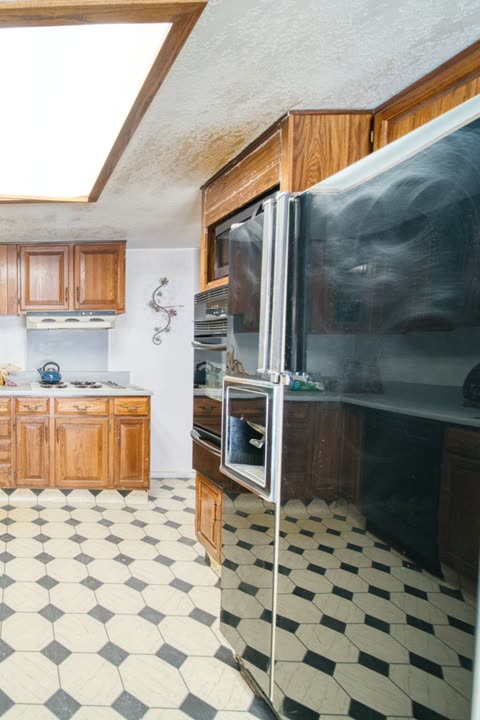
Step by step
- Photograph the kitchen from the doorway or a corner, lights on, with as much cabinetry in the frame as you can.
- In Afterhome, choose Kitchen Remodel and pick the photo.
- Pick a style for the cabinet color you want to see.
- Drag the slider to compare it with the kitchen you have.
The cabinet colors there are
- White Shaker: white shaker doors, brass handles.
- Navy & Brass: navy blue shaker doors, polished brass.
- Dark Modern: matte charcoal flat panels with oak shelves.
- Warm Wood: light natural oak slab doors.
Good to know
Each kitchen style is a whole refinish: the countertop, backsplash, hardware and lights change with the cabinet color, so you see the color in a finished kitchen rather than alone. There is no free color picker for cabinets. If you want to see your walls in another color as well, Paint Walls does that on its own, with the nearest RAL shade for each color.
The layout is kept: the cabinets, counters and appliances stay where they are, because the point is to see a refinish of the kitchen you have.